![Ready-colour-logo-2.png]](https://help-center.readytopay.com/hs-fs/hubfs/Ready-colour-logo-2.png?height=32&name=Ready-colour-logo-2.png)
The payment processing tab within the Location Settings screen allows for the configuration of various settings related to payments.
Accessing Payment Processing
The Payment Processing tab of the Location Settings screen is controlled by the Location Settings - Payment Processing security permission. For more information on security permissions, refer to our Security Permissions article.
Configuring Gift Cards
The Gift Cards component allows you to enable accepting gift cards as payment for orders / table checks at your location using one of our supported gift card integration providers.
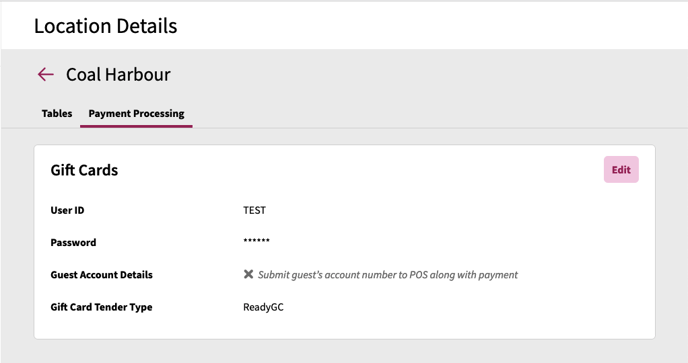
To configure a gift card provider for your location:
- Click Edit to begin the configuration
- Click on the Provider drop-down
- Select from the list of compatible gift card providers (certain gift card providers may not be compatible based on the POS the location is using)
- Fill in the required fields for the selected provider (information on required information per provider is listed below)
- Click Save Changes
GiveX Configuration Details
Parx Configuration Details
PayPal Settings
The PayPal Settings panel allows you to link your PayPal merchant account to your location to allow guests to pay using PayPal.
Link PayPal Merchant Account
When a location is not linked to a PayPal merchant account, a Connect with PayPal button will appear. Clicking on this button will launch a pop-up window and have you login to your PayPal account and authorize Ready's use of your PayPal merchant account for guest payments and refunds.
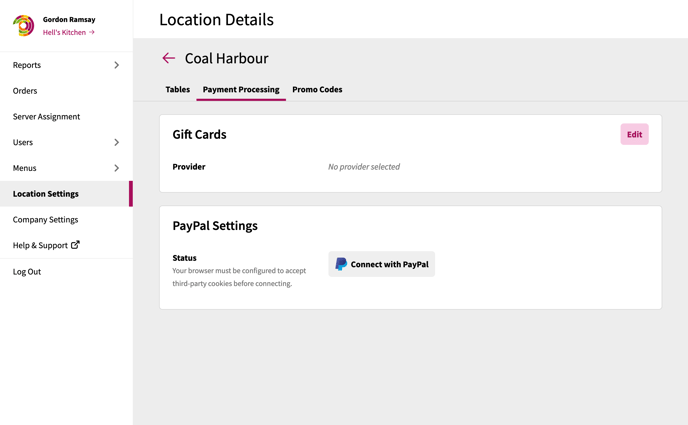
In order to login and link your PayPal account, your browser needs to be configured to allow third-party cookies. Not enabling this in your browser will prevent the account linking from completing properly. Ready recommends temporarily enabling this configuration to perform the PayPal login and then turning this back off after your account is linked.
PayPal Settings Options
When a location is linked to a PayPal merchant account, your merchant ID and some additional settings that can be used.
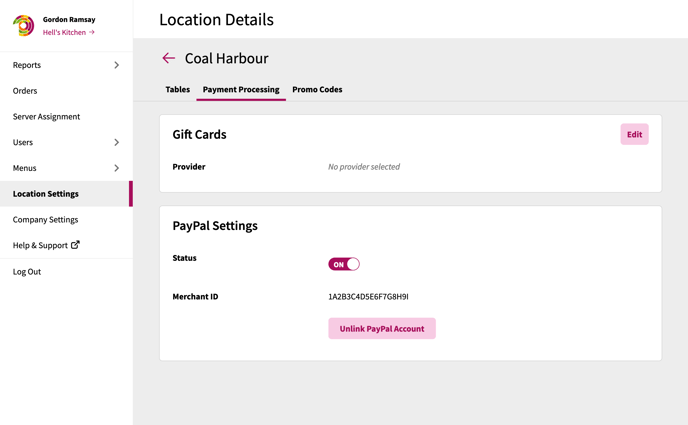
- Status: This toggle allows you to temporarily disable PayPal payments are your location without fully disconnecting your PayPal merchant account
- Unlink PayPal Account: This toggle allows you to fully unlink your PayPal Merchant Account. When unlinking your PayPal merchant account, you will not be able to perform any refunds of transactions paid for via PayPal.